


What Sets TinyML Apart on Microcontrollers?
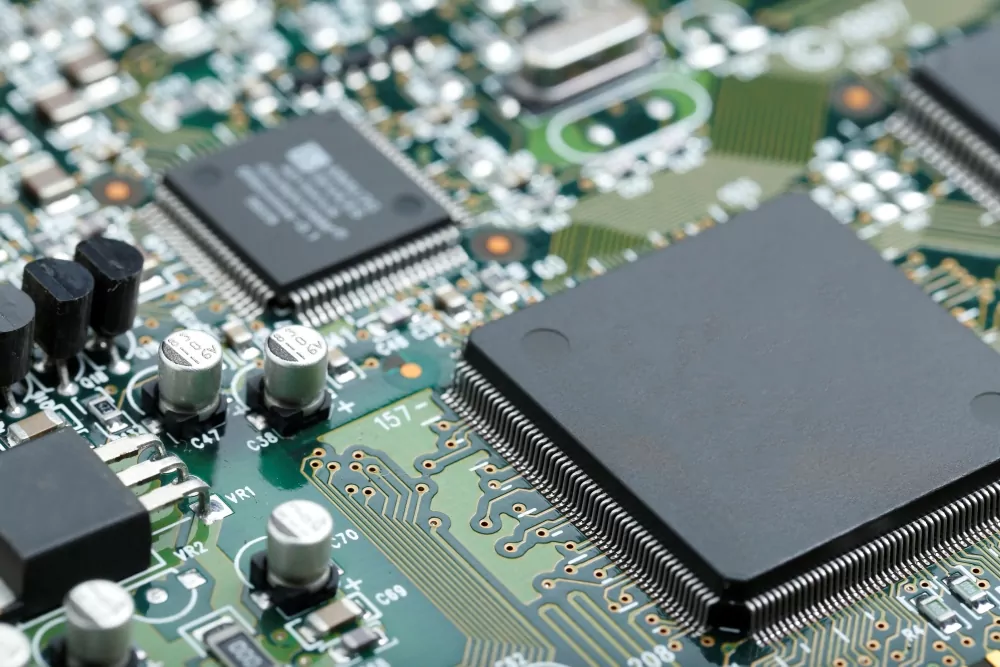
TinyML brings machine learning directly onto microcontrollers: ultra-small, low-power chips traditionally used in simple sensors and embedded systems. Despite having just kilobytes of memory and strict energy limits, these devices can now run optimized AI models locally, without relying on the cloud.
What sets TinyML apart is its extreme efficiency. Models are carefully compressed using techniques like quantization and pruning to fit tight hardware constraints while still delivering real-time intelligence. This enables instant responses, strong privacy, and ultra-low power consumption, which is critical for wearables, industrial sensors, agriculture systems, and medical devices.
Instead of sending data away for processing, TinyML keeps intelligence on the device itself, reducing latency, improving security, and allowing smart behavior even in disconnected environments.
Core Principles for Hardware Developers
Remember: size always matters. Hardware teams need to watch every byte of RAM, bit of Flash, and every nanoamp of battery life when designing for TinyML. Machine learning at the edge means constant balancing between ambition and physical limits. Since most microcontrollers weren’t born for AI, the first step is mapping the model’s requirements to actual hardware specs. Hard questions must be asked:
- How much memory will the neural network need for inference?
- Can the battery last a week with continuous on-device AI?
- Is extra hardware (like accelerators) needed, or will the CPU be enough?
If the answers suggest trouble, you may have to use techniques like quantization, weight pruning, or even select a different microcontroller to keep the project viable.
Next, make sure the model fits the mission. Small models like decision trees or basic neural networks are usually faster and more robust, even if they don’t win in accuracy every time. Domain-specific tweaks matter: a speech recognition device focuses on a few well-chosen features, not Shakespeare; a gesture sensor just has to spot a “wave” or “double-tap.”
Every floating-point operation counts, so picking the right hardware architecture can tip the scales for success.

Integration is key. Landing your ML model in flash memory is only the start. Be ready to handle over-the-air updates, protect against firmware tampering, and validate ML results in realistic, messy environments.
Hardware developers should enable quick iteration: side-loading models, installing test setups, and watching latency and power use with real sensors. Out-of-memory errors during updates can bring more than frustration, especially where reliability is critical. With TinyML, stability and security are as crucial as speed.
Benefits of TinyML in Hardware Development
TinyML isn’t just another buzzword, it’s changing the rules for hardware engineers under the familiar “do more with less” challenge. When tiny machine learning models run on microcontrollers, edge devices gain a smart boost right next to the sensor. No need to send every beep or blink to the cloud. Instead, intelligence sits with the hardware, even if it only has kilobytes of memory. Wearables, IoT sensors, and even toys can now spot important events and react immediately.
For hardware teams, this means walking a tightrope:
- Balancing RAM, flash, CPU cycles, and battery drain
- Ensuring neural networks stay efficient and don’t overwhelm the device
- Enabling quick upgrades: firmware updates can swap out detection logic, making old devices smarter
This “edge AI” isn’t a future fantasy. Frameworks like TensorFlow Lite for Microcontrollers, along with open-source toolchains, let hardware developers easily bring deep learning into traditional firmware workflows. It’s no accident that hardware teams at AJProTech keep shrinking and upgrading intelligent systems with each design cycle, saving cost, power, and headaches.
Power Efficiency and Low-Latency Design
The marvel of TinyML for hardware boils down to doing more with less power. Most microcontroller units (MCUs) in edge devices sip from coin cells or scavenge energy. In the past, trying to run deep learning on such frugal hardware would overload the device fast. But tiny machine learning models, streamlined through quantization and pruning, use so little current that “always-on” no longer means “charge daily.”
Here’s what hardware designers need to focus on:
- Continuous detection (for gestures, speech, or anomalies) is possible without draining batteries
- ML inference is often triggered by a sensor interrupt, lasting only milliseconds
- Devices spend most of their lives in low-power modes, waking up only when something interesting happens
- Low latency means responses in fractions of a second; missing events can have real-world costs
- Less wireless data leaves the device, so privacy and lower bandwidth bills are built-in
Matching the right microcontroller, sensor, and ML model for each target power, latency, and use case is a key skill. Hardware now plays a central role in AI development.
TinyML Applications and Use Cases
We at AJProTech see industry shifts in healthcare, manufacturing, and infrastructure as hardware teams move more intelligence to the edge. For example:
- Wearables use microcontrollers with heart rate and motion sensors to process ML models locally, offering instant alerts if something is wrong without cloud delays
- In manufacturing, embedded sensors (vibration, temperature, acoustic) watch for early faults using deep learning for anomaly detection
- With inference at the edge, devices use less power and bandwidth, boost privacy, and improve uptime
Power management drives innovation. Engineers must account for battery longevity, especially in remote IoT installations. Techniques like quantization, pruning, and model splitting squeeze models into 128 KB of RAM or less. Choices like using neural network accelerators or sticking with bare-metal microcontrollers let teams balance performance and efficiency. This enables everything from smart locks that learn your gestures to air quality sensors that warn of hazards before anyone else.
Security is vital, especially for deploying AI on billions of devices. TinyML keeps sensitive data and models local, reducing exposure to interception. In regulated fields like healthcare or finance, this is invaluable. Modern hardware designs now use on-chip cryptography or Hardware Security Modules (HSMs), so even if a device is misplaced, models and data stay locked down. This is one underappreciated superpower of tiny machine learning.
Real-World Examples of TinyML Applications
Look at today’s fitness trackers or health monitors: TinyML models turn streams of accelerometer or sensor data into instant feedback, no cloud required. Devices can spot changes and alert users, or prompt action, all on the microcontroller.
Hardware engineers replace heavy, cloud-reliant chips with smart, efficient microcontrollers carefully laid out for real-time model inference. The same is true in the home: keyword spotting is run locally, so even sleepy “lights off” commands are answered in the blink of an eye.
Industrial automation is another rich area. Conveyor belts carry sensors whose embedded ML checks for unusual signatures, such as odd vibrations. With “always-on” inference at microwatt power, maintenance is proactive and downtime is reduced.

Agriculture joins in too: soil and leaf sensors rely on microcontrollers to check for plant health, all under tough, variable conditions. From farm fields to assembly lines, all these examples depend on skilled hardware, model selection, and firmware as efficient as possible.
Of course, debugging TinyML in the field is a whole new challenge. Models that run fine on the bench might struggle with out-of-memory errors or unexpected bugs in live hardware. Teams blend expertise from deep learning and embedded firmware, focusing on integration and robust, real-world test cycles including seamless updates and reliable checks. As hardware and AI grow closer, the world gets smarter, one tiny chip at a time.
Starting a TinyML Project: Hardware Developer’s Guide
Pitfalls to Watch Out for in Your TinyML Project
Deploying tiny machine learning on microcontrollers demands attention to the smallest details. The most common pitfall is underestimating how strict these chips are with resources. At AJProTech, we know from experience: specs for RAM, Flash, and speed in a datasheet are not guidelines, they are the limits. Models that run smoothly on a laptop can quickly run out of memory on a microcontroller, triggering resets or silent failures.
- Always measure memory use after compressing your model, not just in theory.
- Leave extra space; actual hardware often needs more for stack, heap, and peripherals than emulators show.
- Avoid overfilling memory to prevent random, silent model failures.
Next is power: TinyML can drain batteries rapidly if you’re not careful. Enabling deep learning or continuous polling without proper power profiling can consume batteries faster than you expect. On microcontrollers, running ML inference every millisecond is rarely needed or practical. Test worst-case battery drain for your inference workload, not just average use.

If predictions do not justify the power, adjust your approach: move to event-driven interrupts, or consider alternate algorithms. Sometimes, success hinges on catching a hidden current drain before the product is finalized.
Integration can spring its own set of traps. Even the best model and hardware can crash if firmware, hardware, and ML frameworks don’t work in lockdown. When using frameworks like TensorFlow Lite for Microcontrollers, expect version mismatches or obscure build errors. Firmware that works for one MCU family may not for another, so treat porting like any big journey: use a map, guides, and test every step. Debugging ML on hardware is more like wildlife spotting than coding: errors can be faint or silent, hidden among thousands of cycles.
- Build diagnostics into firmware to log both accuracy and reliability.
- On-device debug outputs help spot issues missed in simulation.
Updating deployed models is another risk if not planned well. Over-the-air updates or manual re-flashing, especially in the field, take time and carry risks. Ask yourself:
- Can you patch or roll back buggy updates once devices are deployed?
- Will your automated tests catch both neural network errors and device failures?
Bricking devices in the field is expensive. Streamline your deployment pipeline, automate tests, and include regression checks. If you want more on robust workflows and how to avoid field failures, review our hardware engineering expertise for ideas about best practices.
Finally, beware the myth that any microcontroller is ready for ML. Some popular chips lack the needed accelerators, suffer from slow memory, or have limited peripherals. Selecting a chip because it is “cheap” or “popular” can block TinyML integration when you try real workloads and run into delays or data loss.
Comb through datasheets, check real ML benchmarks, and consider investing in co-processors like DSPs or NN accelerators: they can save more energy and space than the fastest CPU core alone. The right blend of silicon and neural design is the secret sauce for bringing AI to life in real hardware.